Knowledge Base
Email Management: How to Change a Mailbox Password
Step by Step Walkthrough
- Go to Mail Central.
- Select the email address you want to update the password for.
- Click the Basic Info tab.
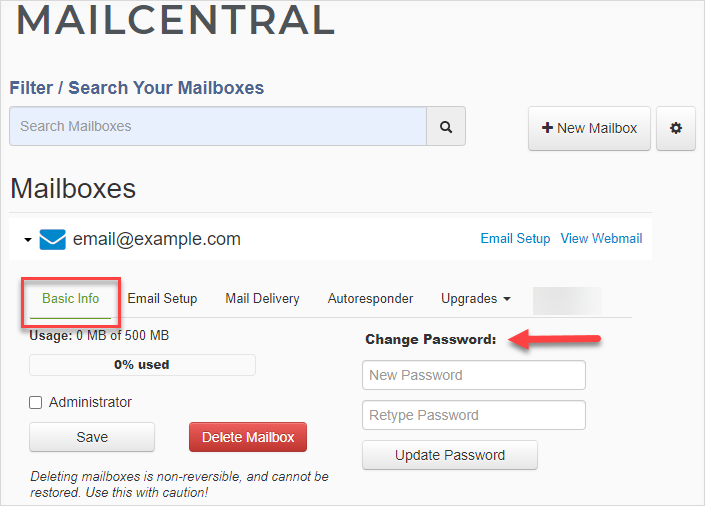
- Under Change Password, enter and retype your new password.
Important: Your new password must contain a lower case letter, an upper case letter, a number, and a special character. - Click the Update Password button.
The mailbox password has been changed.
I Forgot My Mailbox Password. How Do I Retrieve It?
There is no other way to retrieve a mailbox's existing password. If you have forgotten your mailbox password, follow the steps provided in this article to reset it.
Did you find this article helpful?